Bring your co-breeders along
Invite the people who help in your kennel. They log from their own phones or the web, and everyone works from the same records.
7-day free trial for new subscribersthen $6.99/month · cancel anytime


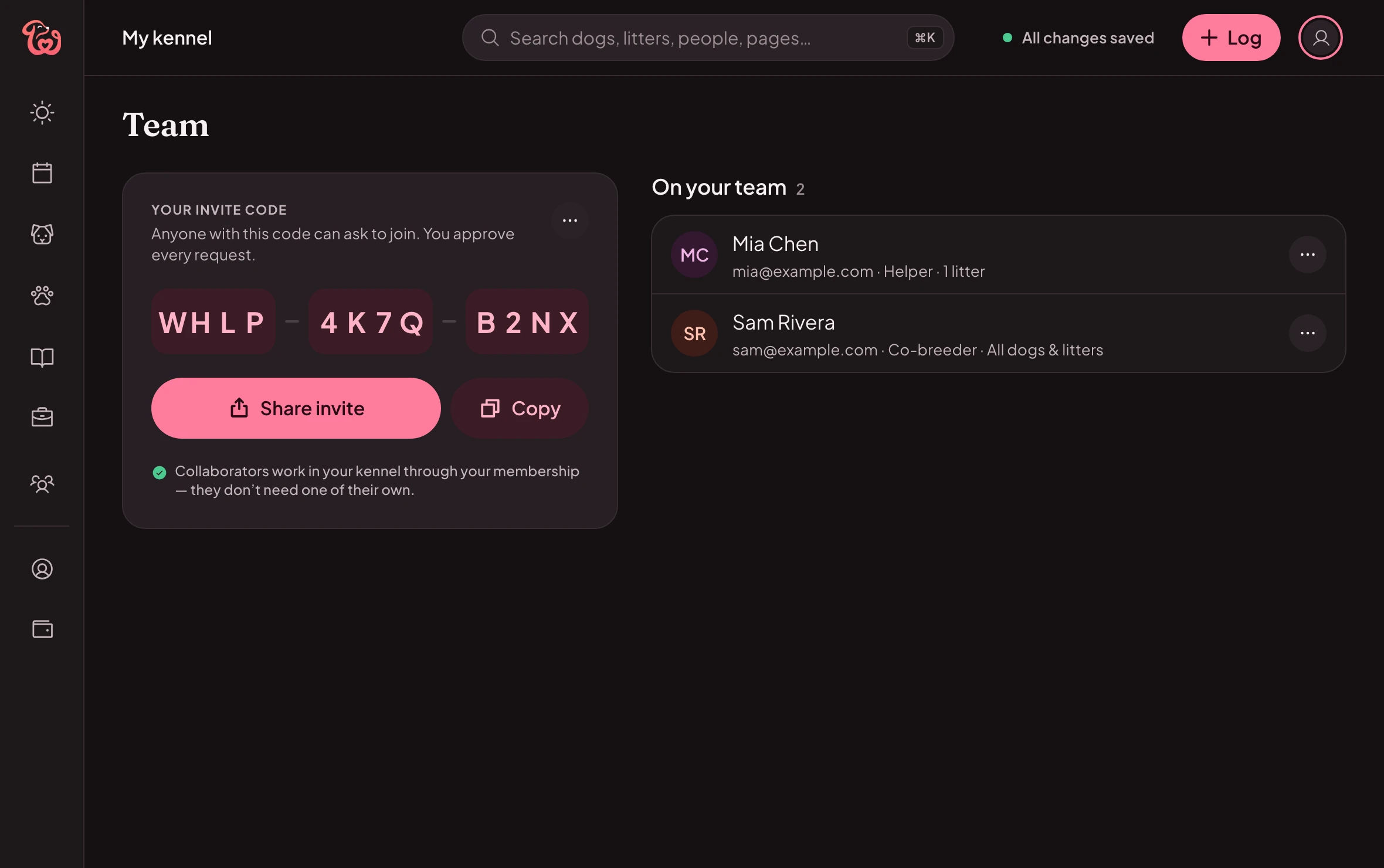
Invite with a code
You approve each person who joins.
What Mia can do
On your team2
Mia Chen
Helper · 1 litter
Sam Rivera
Co-breeder · All dogs & litters
They don’t need a membership of their own.
Roles
Choose what each person can see and change
| Feature | Viewer | Helper | Co-breeder | Full access |
|---|---|---|---|---|
| See health records | Included | Included | Included | Included |
| See heats, matings and pregnancies | Included | Included | Included | Included |
| See papers and photos | Included | Included | Included | Included |
| See contacts and buyers | Not included | Not included | Included | Included |
| Log, fix and remove entriesWeights, care, whelping, tests | Not included | Included | Included | Included |
| Manage tasks | Not included | Included | Included | Included |
| Add dogs and litters | Not included | Included | Included | Included |
| Remove dogs and litters | Not included | Not included | Included | Included |
| See your finances | Not included | Not included | Not included | Included |
Viewer
Sees what you share. Can’t add, change or remove anything.
- See health recordsYes
- See heats, matings and pregnanciesYes
- See papers and photosYes
- See contacts and buyersNo
- Log, fix and remove entriesNo
- Manage tasksNo
- Add dogs and littersNo
- Remove dogs and littersNo
- See your financesNo
Helper
Logs care, weights and whelping, adds puppies and litters, and fixes or removes entries. Can’t remove dogs or litters.
- See health recordsYes
- See heats, matings and pregnanciesYes
- See papers and photosYes
- See contacts and buyersNo
- Log, fix and remove entriesYes
- Manage tasksYes
- Add dogs and littersYes
- Remove dogs and littersNo
- See your financesNo
Co-breeder
Works alongside you: adds, edits and removes everything. Your finances stay private.
- See health recordsYes
- See heats, matings and pregnanciesYes
- See papers and photosYes
- See contacts and buyersYes
- Log, fix and remove entriesYes
- Manage tasksYes
- Add dogs and littersYes
- Remove dogs and littersYes
- See your financesNo
Full access
Everything you can do in your kennel, finances included.
- See health recordsYes
- See heats, matings and pregnanciesYes
- See papers and photosYes
- See contacts and buyersYes
- Log, fix and remove entriesYes
- Manage tasksYes
- Add dogs and littersYes
- Remove dogs and littersYes
- See your financesYes
Viewer
Sees what you share. Can’t add, change or remove anything.
Helper
Logs care, weights and whelping, adds puppies and litters, and fixes or removes entries. Can’t remove dogs or litters.
Co-breeder
Works alongside you: adds, edits and removes everything. Your finances stay private.
Full access
Everything you can do in your kennel, finances included.
Your team
Your team, your rules
Invite with a code
Share a 12-character code; you approve each person before they join.You decide who sees what
Health, breeding, papers, contacts and finances, person by person. Change it anytime.Your whole team included
Teammates don’t need a membership of their own: yours covers them.
How it works in Whelper
Step by step
Step 1: Share your code
From Team, copy your invite code and send it.Step 2: They join
With the code, in the Whelper app or on the web.Step 3: You approve
Pick their role, or set each switch yourself.Step 4: Work together
Everyone sees the same records as they’re logged.
Free to read and use
Tools and guides
- Breeder business & rulesRecords your registry may requireAKC requires breeding and litter records to be kept for at least 5 years after a dog dies, is sold or is given away, in a format you can print. Other registries and licences set their own rules.3 min read
- Breeder business & rulesWhat registries and breed clubs commonly ask of breedersHealth screening of both parents, registry age limits, records, clear paperwork and careful placement are among the things registries, breed clubs and laws commonly ask of breeders.3 min read
- BreedingPlanning with the stud ownerArrange the stud, a written contract and semen logistics before her heat begins, and make sure both dogs have current health checks and brucellosis tests.3 min read
Questions
Good to know
Do my co-breeders need a membership?
No. They work in your kennel through yours. Invite co-breeders and family at no extra cost.
Can I limit what someone sees?
Yes. Choose a role, switch areas on or off (health, breeding, papers, contacts, finances), and limit them to chosen dogs and litters.
Can I remove someone later?
Yes, anytime, from your Team page. Your records stay yours.
What do my teammates need?
The Whelper app on iPhone, iPad or Android, or a browser at app.whelper.com, and your invite code.
Team on the web
Also on your computer
Your invite code, your team and what each person can see and do, on a bigger screen. One membership covers both.
See what it looks like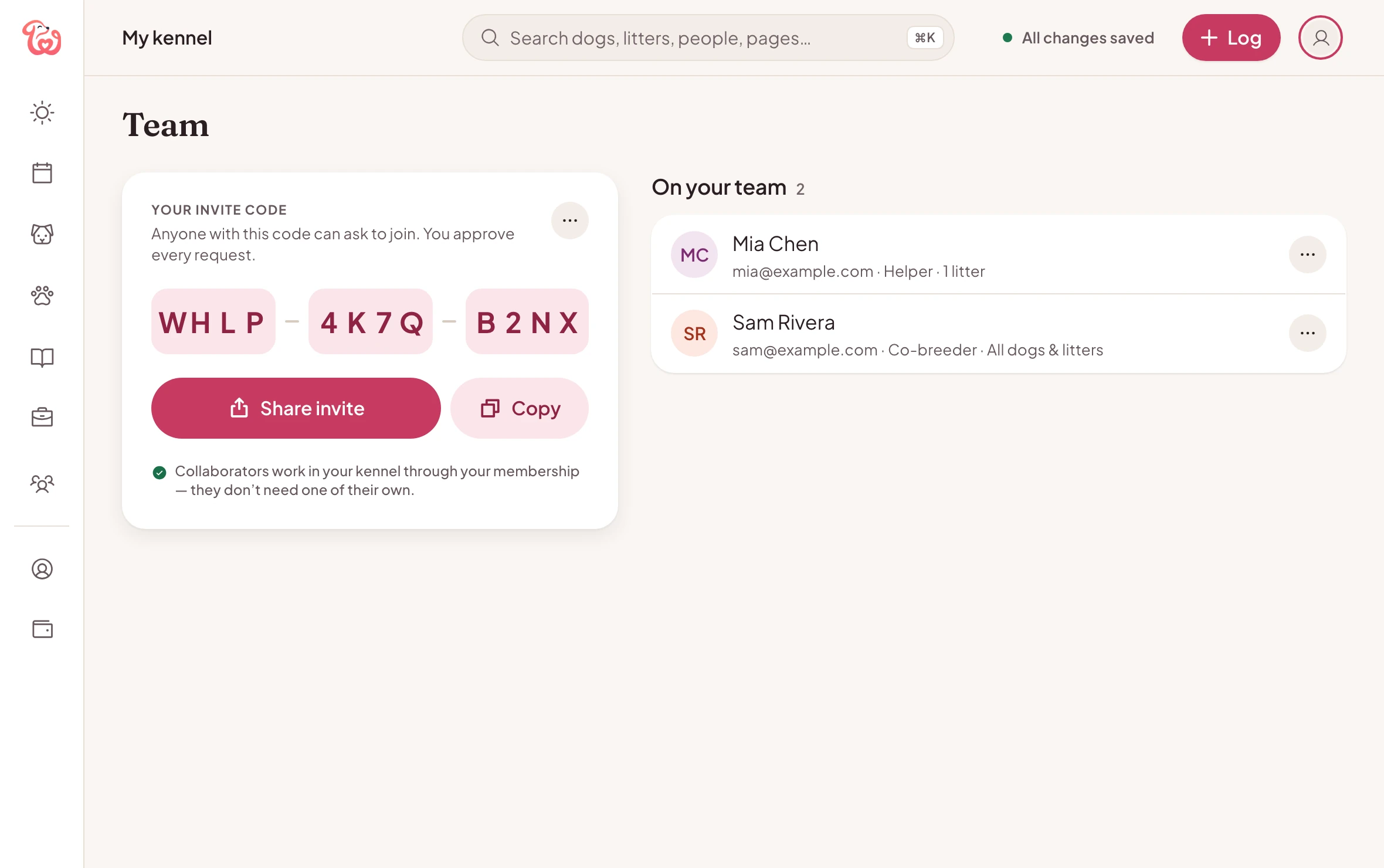
Your kennel, together
7-day free trial for new subscribersthen $6.99/month · cancel anytime